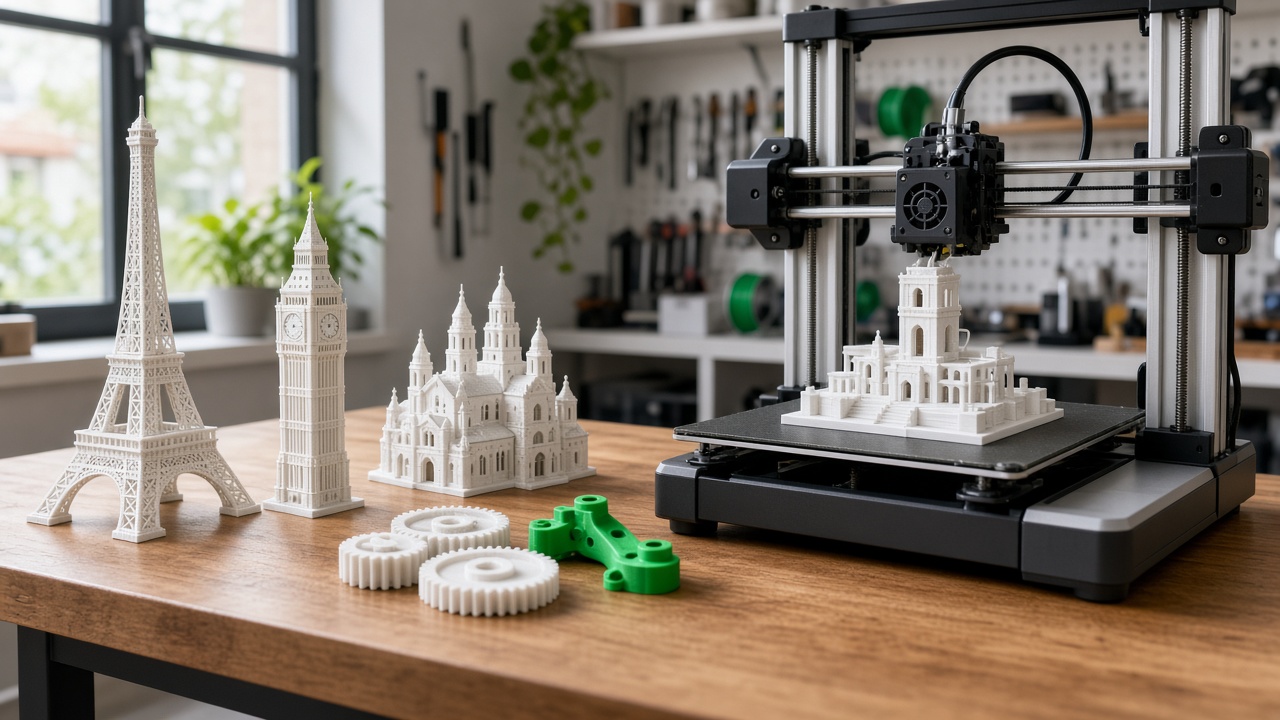
Online 3D Printing in Europe: Custom Parts from Local Makers
Looking for online 3D printing in Europe? GuidaPrinto3D lets you upload a file, get a quote, and have a local maker print the part — in cities such as Paris, Lyon and London — without buying a machine.
European teams already design in the cloud. The slow part is still the physical object: a bracket for a demo, a housing for a prototype, a spare clip that the original supplier no longer sells. Industrial bureaus can quote in days. Owning a printer means filament, failed plates, and evenings spent calibrating. Online 3D printing sits between those two options. You keep the file. A maker near you runs the printer.
GuidaPrinto3D is that marketplace. Customers upload an STL, choose material and quantity, and a Marker (a local printer owner) accepts the job. When a compatible machine is available in your city, production stays local. That is the practical meaning of a 3D printing service in Europe: shorter hand-off, less courier distance, and a price tied to the project rather than to a machine you would use twice a year.
Ready to print in Europe? Upload your STL and get a quote in minutes.
Why order a 3D print online instead of buying a printer
A desktop printer looks cheap until you add nozzles, enclosures, electricity, and the parts you throw away while learning. For occasional work — a student project, a repair, a client mock-up — paying per print is usually the clearer budget.
- No capital spend on a printer, enclosure, or spare hotend
- No calibration weekend when the review is tomorrow morning
- Access to machines already tuned by people who print every week
- A quote before you commit, based on the file you actually need
The full walkthrough for first-time customers is here: Print 3D objects easily (and cheaply) without owning a printer.
How to order online 3D printing in Europe
You do not need slicer expertise. The path on GuidaPrinto3D is built for designers, engineers, and anyone with a file:
- Upload your model — STL is the usual format. See also how to print an STL file.
- Choose preferences — material, colour, and quantity.
- Set your city so matching can prioritise a maker nearby.
- Review the estimate and place the order online.
- A Marker accepts and prints. You then arrange pickup or delivery.
The same steps are explained on how it works. If you run the machines yourself, the other side of the marketplace is becoming a Marker.
Materials that cover most European projects
Most online orders start with everyday FDM plastics. Pick the one that matches the job, not the one that sounds most technical.
- PLA — visual models, props, and indoor parts. Easy to print, limited heat resistance.
- PETG — functional parts that need more toughness and a bit of flexibility.
- ABS — housings and parts that see higher temperatures, when the maker’s setup supports it.
Compare them on the materials hub before you upload, and mention colour and finish in the order notes.
What people actually print
The same four jobs show up in Paris studios, Lyon workshops, and London product teams:
- Prototypes — a housing, a clip, a mechanism, before you commit to tooling.
- Replacement parts — gears, covers, brackets, and fixtures the OEM no longer stocks.
- Cosplay and props — armour sections and accessories with a convention date attached.
- Business parts — jigs, display models, and short runs for a pitch or a client review.
City-level examples from Paris: prototypes, spare parts, cosplay, and business orders.
Print locally: Paris, Lyon, London
A European order is faster when the printer is in the same metro, not in another country. GuidaPrinto3D publishes practical guides for the cities where that local match is the point of the service:
- Order 3D printing in Paris — also the Paris city page
- Order 3D printing in Lyon
- Order 3D printing in London — also the London city page
Matching depends on a compatible Marker being available near the city you choose. Browse every published location on the cities hub. If you are outside those guides, you can still upload: the quote tells you whether a maker can take the job. Ordering from the United States? See online 3D printing in the United States.
File tips before you upload
Make the mesh printable
- Export a watertight mesh, in millimetres
- Check wall thickness for FDM — paper-thin shells fail on the first layer
- Orient functional parts so loads do not pull layers apart
- Write down colour, quantity, and what “done” looks like
The longer checklist is How to properly print a 3D object.
From a European CAD file to a physical part — start with an estimate.
FAQ: online 3D printing in Europe
How does online 3D printing work in Europe?
Upload your file on GuidaPrinto3D, set your city, choose material options, review the quote, and confirm. A local maker can then accept and print the order.
Do I need my own 3D printer?
No. You pay for the printed object. The network handles machines, materials, and production.
Which cities are covered?
Published local guides cover Paris, Lyon and London. Availability still depends on a compatible Marker near you. Other cities are listed on the cities hub as they are added.
What can I 3D print?
Prototypes, brackets, housings, replacement parts, architectural models, props, and other custom pieces — as long as the design fits the printer volume and the material you chose.
Is local printing faster than shipping a part across Europe?
When a maker in your city accepts the job, you avoid a cross-border parcel. Pickup or a short local delivery is the usual outcome. If no nearby printer is free, the quote is the moment to decide whether to wait or look at another option.
Start an online 3D print in Europe
You already have the file. The missing piece is a printer that is free this week, in a city you can actually reach. Order 3D printing online in Europe through GuidaPrinto3D and let a local Marker run the job.
Upload once. Match locally. Hold the part in your hands.